
Skip to content
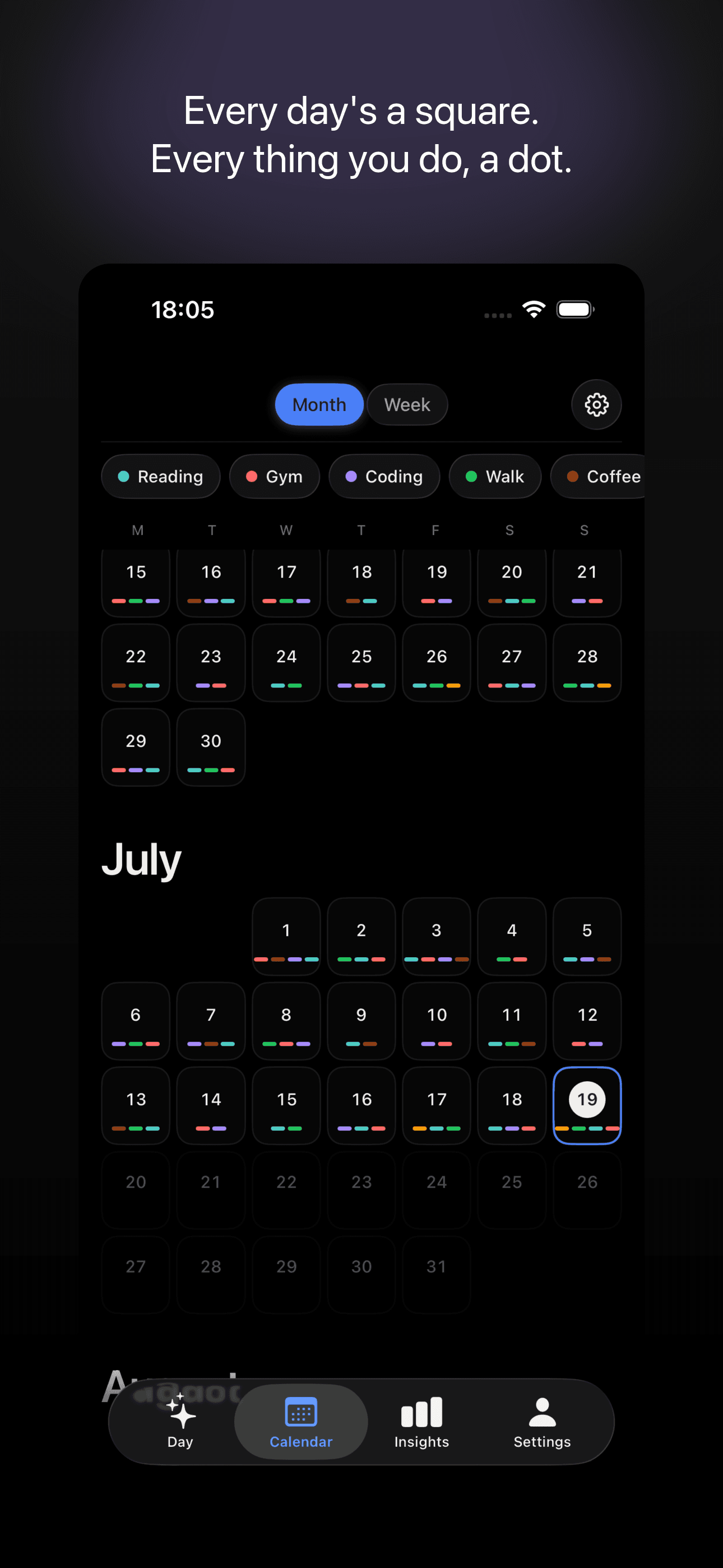
Dots calendar screen: a year of days, each one a square filled with coloured dots

A quiet place to leave traces

Every day is a square. Every thing you do is a dot. Fill them in as you go and watch the months take shape.

Download on theApp Store

iOS 26.3 and later

A well-made notebook for your days

No streak counter shouting at you, and nothing to feel guilty about.

  • Tap to log

    Pick an action and leave a dot. That is the whole thing. Zoom out to a full year or in to a single day.

  • Months fill with colour

    Habits, events and small moments all sit on one timeline. Filter by any action to follow a single thread.

  • Look back gently

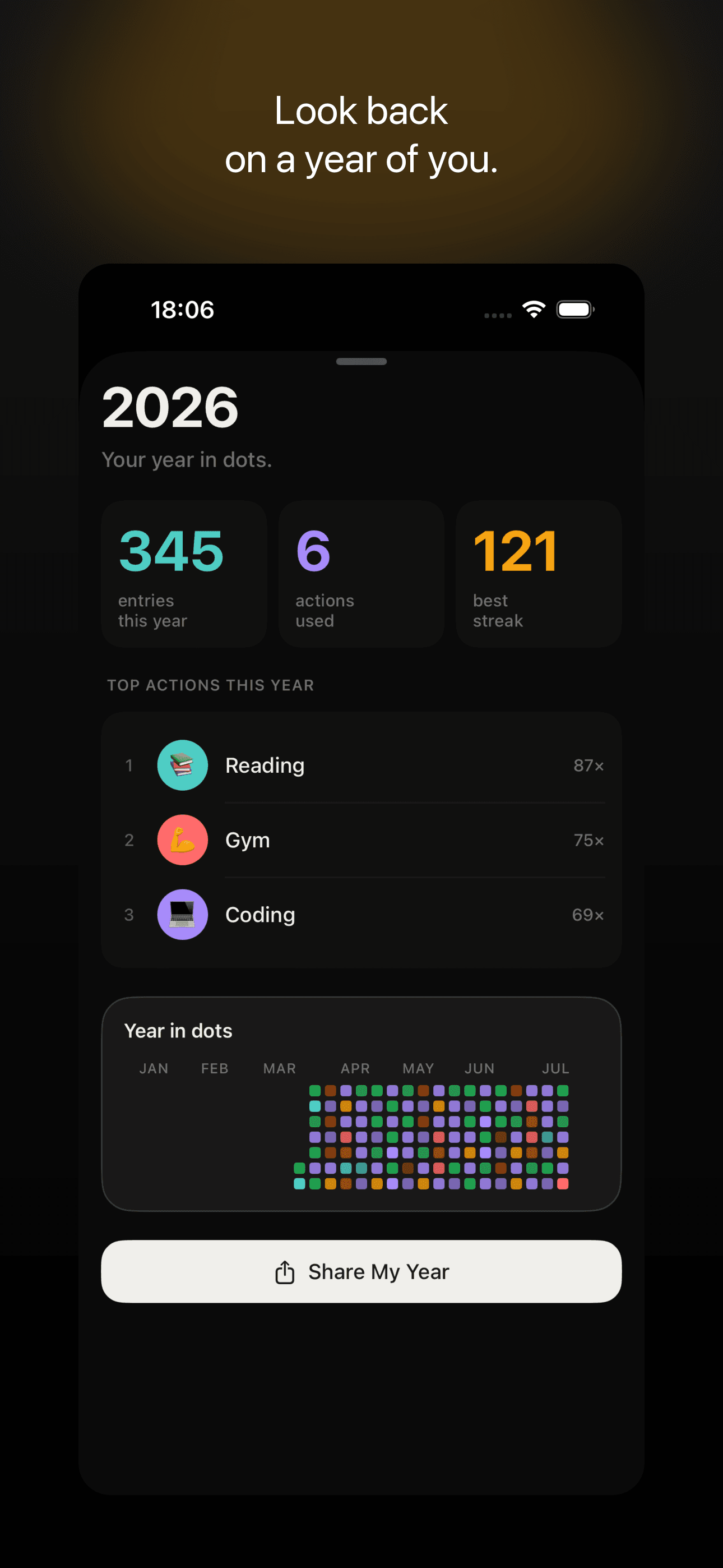
    See your streaks, your best days and a Year in dots you can share. Nothing here pressures you to keep a number alive.

  • Home Screen widgets

    Check your week and add a dot straight from the Home Screen, without opening the app.

  • Yours alone

    Works offline and never asks you to sign in. Turn on iCloud sync and your days stay on your own devices.

  • Locked to you

    Put Dots behind Face ID, Touch ID or a passcode if you would rather keep it to yourself.

The whole ritual

Three seconds a day is enough.

  1. 1

    Pick an action

    Name the things worth noticing. A habit, an event, a mood. Give each one a colour.

  2. 2

    Leave a dot

    Tap once when it happens. No forms, no scores, nothing to fill in.

  3. 3

    Watch it add up

    Months fill with colour. Zoom out to a year and see the shape of it.

A look inside

Calm by design, from the first dot

  • Dots calendar screen: a year of days, each one a square filled with coloured dots

    Calendar

    Every day's a square, every thing you do a dot.

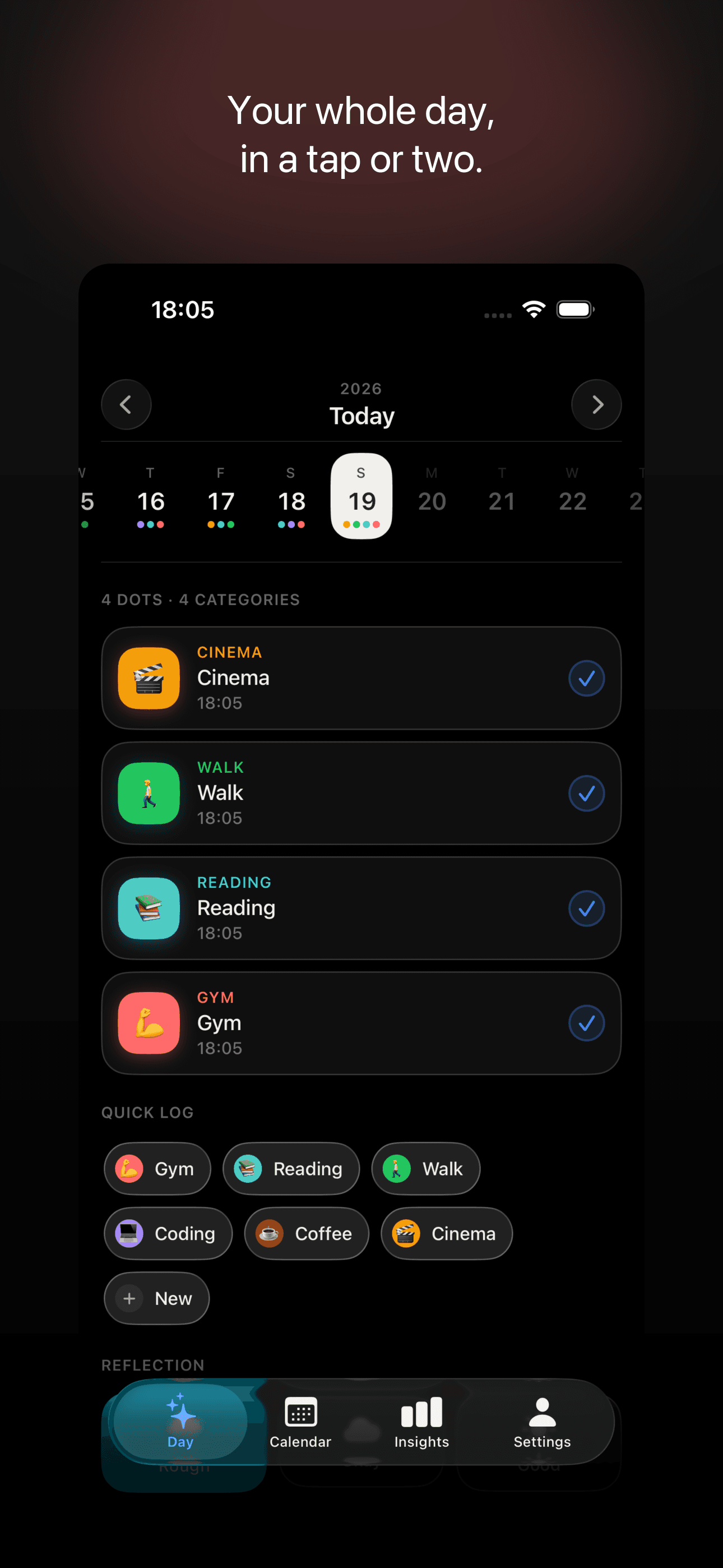
  • A single day in Dots, showing logged actions and an optional note

    Your day

    Your whole day, in a tap or two.

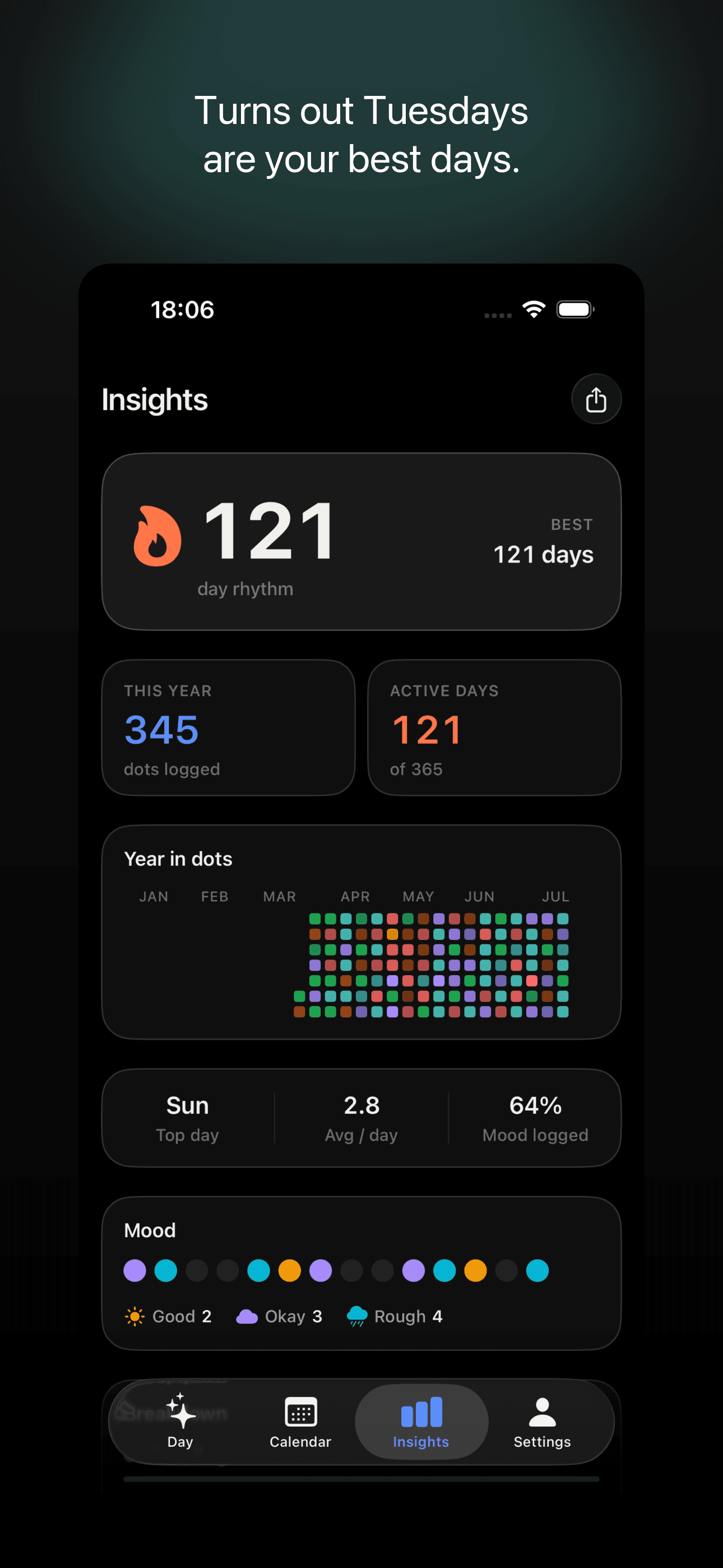
  • Dots insights screen with streaks, best days and patterns

    Insights

    See how it all adds up.

  • Shareable year recap poster made of dots

    Year recap

    Look back on a year of you.

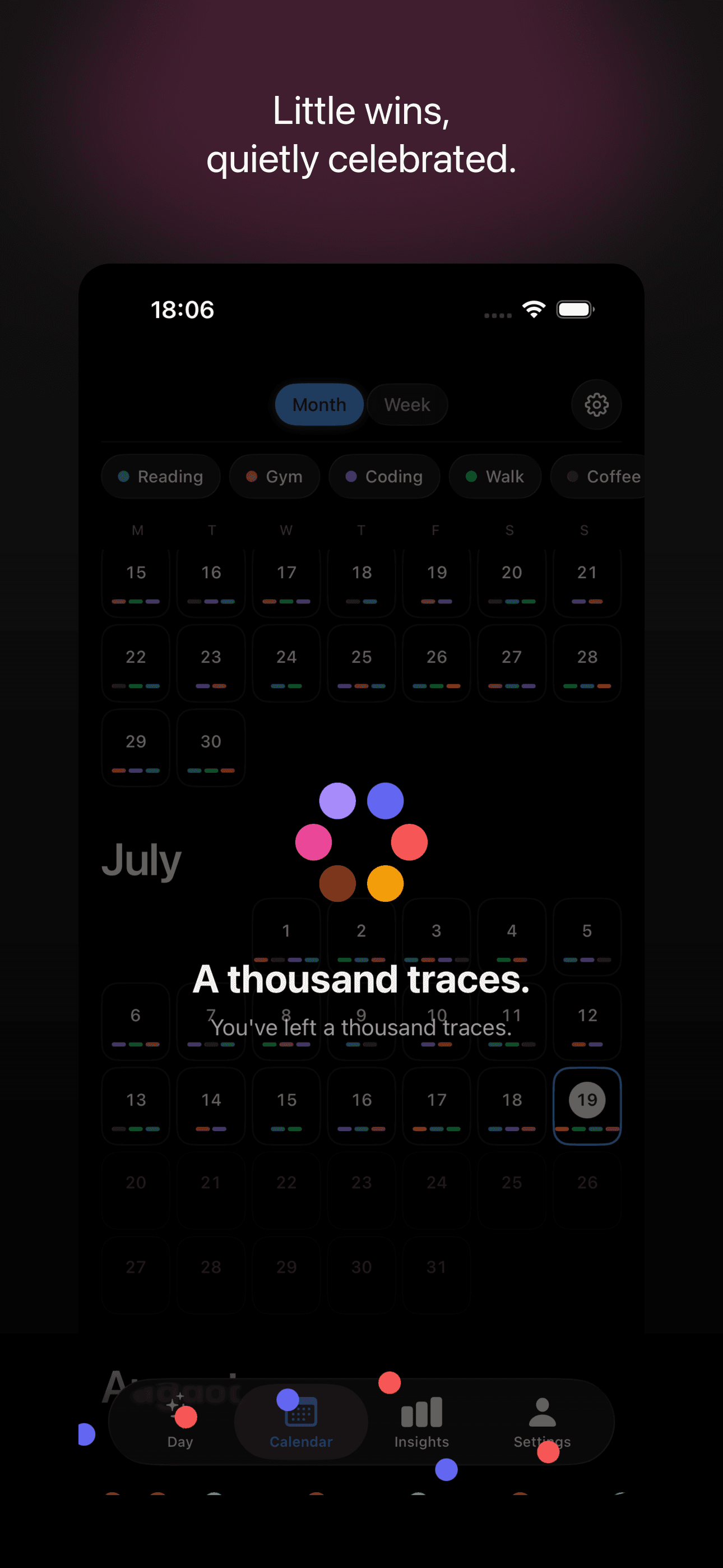
  • Dots celebrating a small milestone

    Celebrate

    Little wins, quietly celebrated.

Why I built Dots

I have started and abandoned a lot of habit trackers. Every one of them wanted more than I was willing to give: an account, a subscription, a daily check-in, a streak counter that turned one missed evening into a reason to quit. After deleting the fourth one I stopped looking for the right app and built the thing I actually wanted.

It began as a single screen. A year of small squares, one tap to fill one in. I used it every day for months before it had a name. The rules came from how I actually live: it had to work on a plane and in the metro, so there is no account and no server. It had to survive a missed week without making me feel bad, so there is no streak shaming. And it had to be quick enough to use while the kettle boils, so logging is one tap and nothing else.

After a while the calendar filled up with colour and I started seeing things I had missed. Which months I read. When I quietly stopped running. How rarely I called my parents. That was when I decided to put it on the App Store instead of keeping it on my own phone. Dots is still the app I open every evening, and the free version is the same one I used for a year before Pro existed.

Soloway, Vilnius

Frequently asked questions

A few things people like to know before they start

Still have a question? Write to us

Do I need an account to use Dots?

No. Dots works offline and never asks you to sign in. Your days are yours from the first dot.

Where is my data stored?

Everything you log is stored on your device. If you turn on iCloud sync, your data stays in your own private iCloud account across your Apple devices, and we never have access to it.

Does Dots track me or show ads?

There are no ads, and Dots does not track you across other apps or websites. It collects no advertising identifiers and never your location or contacts. It does send anonymous usage counts and crash reports so we can fix bugs and decide what to build next. Those never include your entries, your notes or your category names, and you can switch them off in Settings, under Privacy.

Is Dots free?

Yes. Dots is free forever, with room for three habits and a year of history. Dots Pro is an optional subscription that unlocks unlimited actions, the full year heatmap, extended insights, the shareable Year Recap, custom colours and per-dot notes.

Can I lock the app?

Yes. You can lock Dots behind Face ID, Touch ID or a passcode. Biometrics are handled by iOS, and your passcode is stored securely on your device and never sent anywhere.

Which devices does Dots support?

Dots is built for iPhone and iPad, with Home Screen widgets so you can check your week and add a dot without opening the app.

Leave your first trace

Dots is on the App Store. Free forever, with Dots Pro there if you want more room.

Download on theApp Store

iOS 26.3 and later